ChatGPT

AI assistant revolutionizing human-like conversation and productivity

4.5/ 5

About ChatGPT

ChatGPT is more than a successful chatbot. It is one of the defining consumer products of the generative AI era—the product that turned large language models from a specialist technology into a new everyday computing interface. Its public launch in late 2022 changed how millions of people understood AI: instead of learning commands or navigating menus, users could simply describe what they wanted in natural language.

That shift was genuinely era-defining. ChatGPT made conversation a practical interface for writing, research, coding, learning, image creation, data analysis, and planning. Much like the web browser and smartphone changed how people accessed software, ChatGPT helped move computing from clicking through tools toward expressing an outcome and letting an AI help assemble the path.

What using ChatGPT feels like

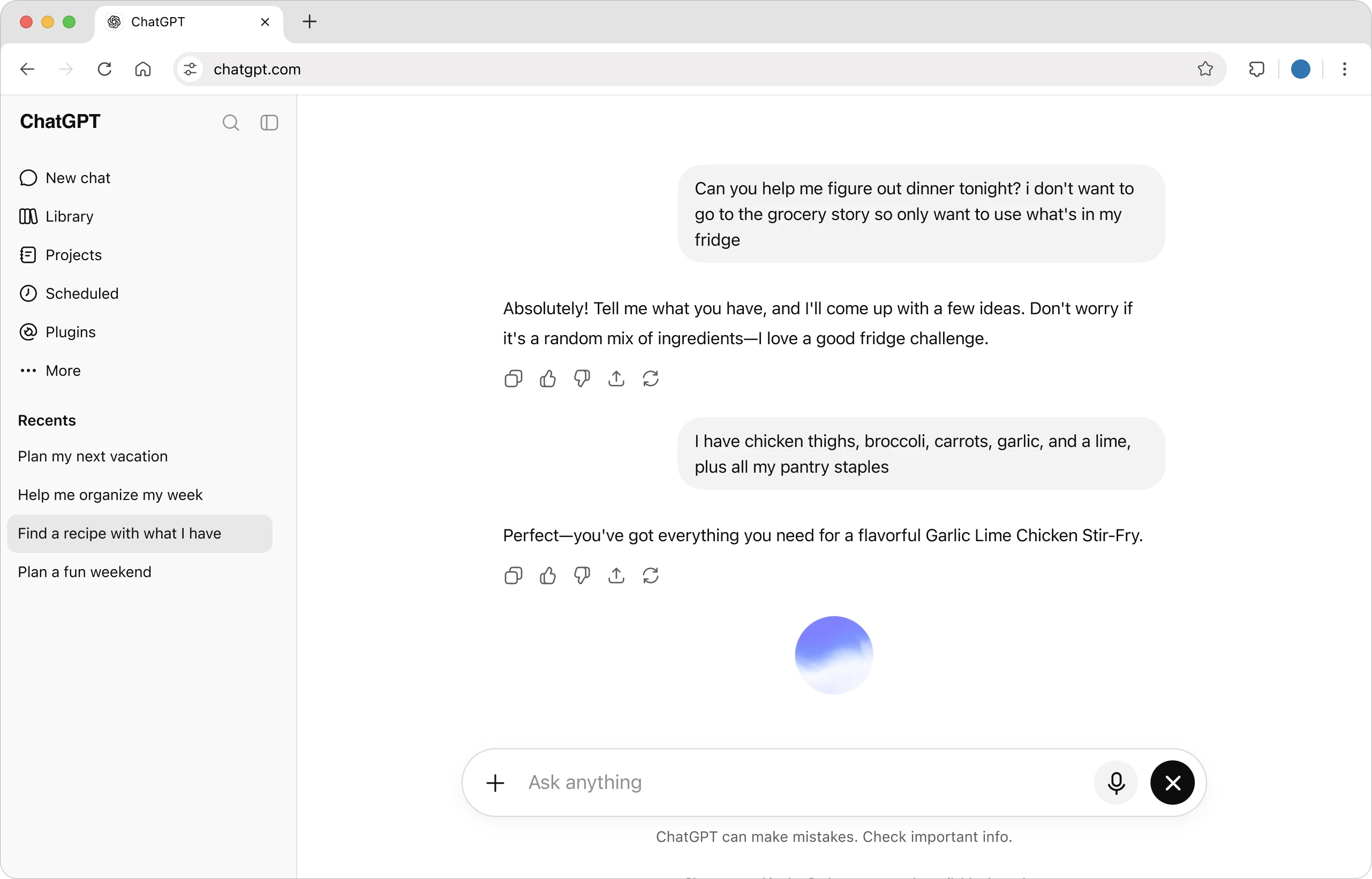
The basic interaction is deliberately simple: start a conversation, explain what you need, and refine the result through follow-up questions. ChatGPT keeps the recent context in view, so a rough idea can gradually become a useful answer, plan, draft, or decision without restarting from scratch.

ChatGPT conversation interface showing a multi-turn request
A typical ChatGPT conversation, with context carried across multiple messages. Official product image: ChatGPT.

From chat window to working environment

The product has grown into a broad workspace rather than a single chat box. Depending on the plan and region, it can search the web, analyze files and images, generate and edit visuals, work with voice, remember useful context, organize projects, conduct deep research, schedule tasks, connect to external tools, and support longer agentic workflows through ChatGPT Work and Codex.

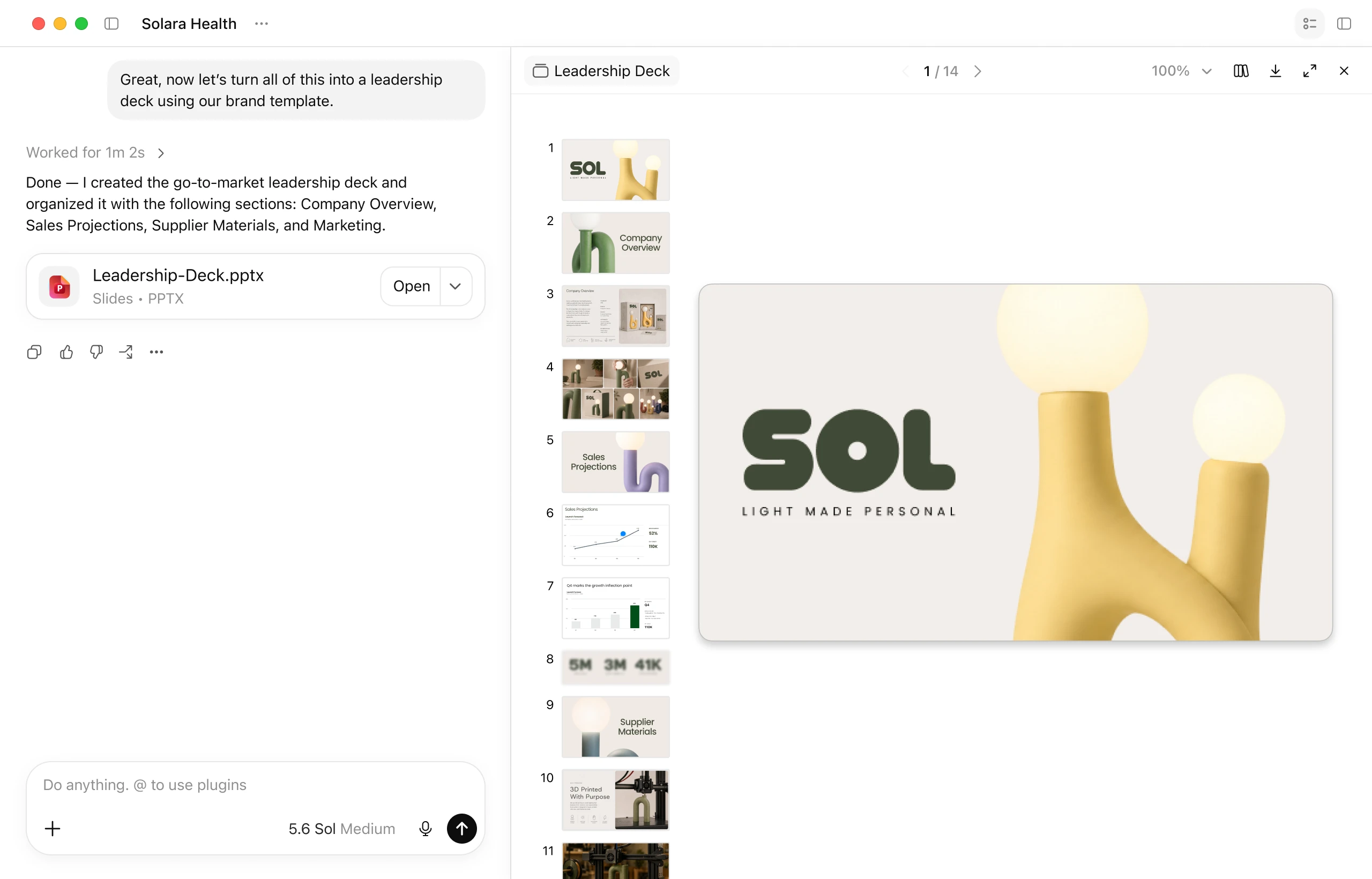
ChatGPT Work creating and previewing a presentation
ChatGPT Work turning a request into a finished presentation inside the same workspace. Official product image: ChatGPT.

This is where ChatGPT becomes more than an answer engine. A user can provide a goal and relevant files, review the proposed output, request changes, and continue until the work is ready to use. The same pattern applies to reports, presentations, research summaries, campaign material, spreadsheets, and many other everyday deliverables.

Coding and longer agentic work

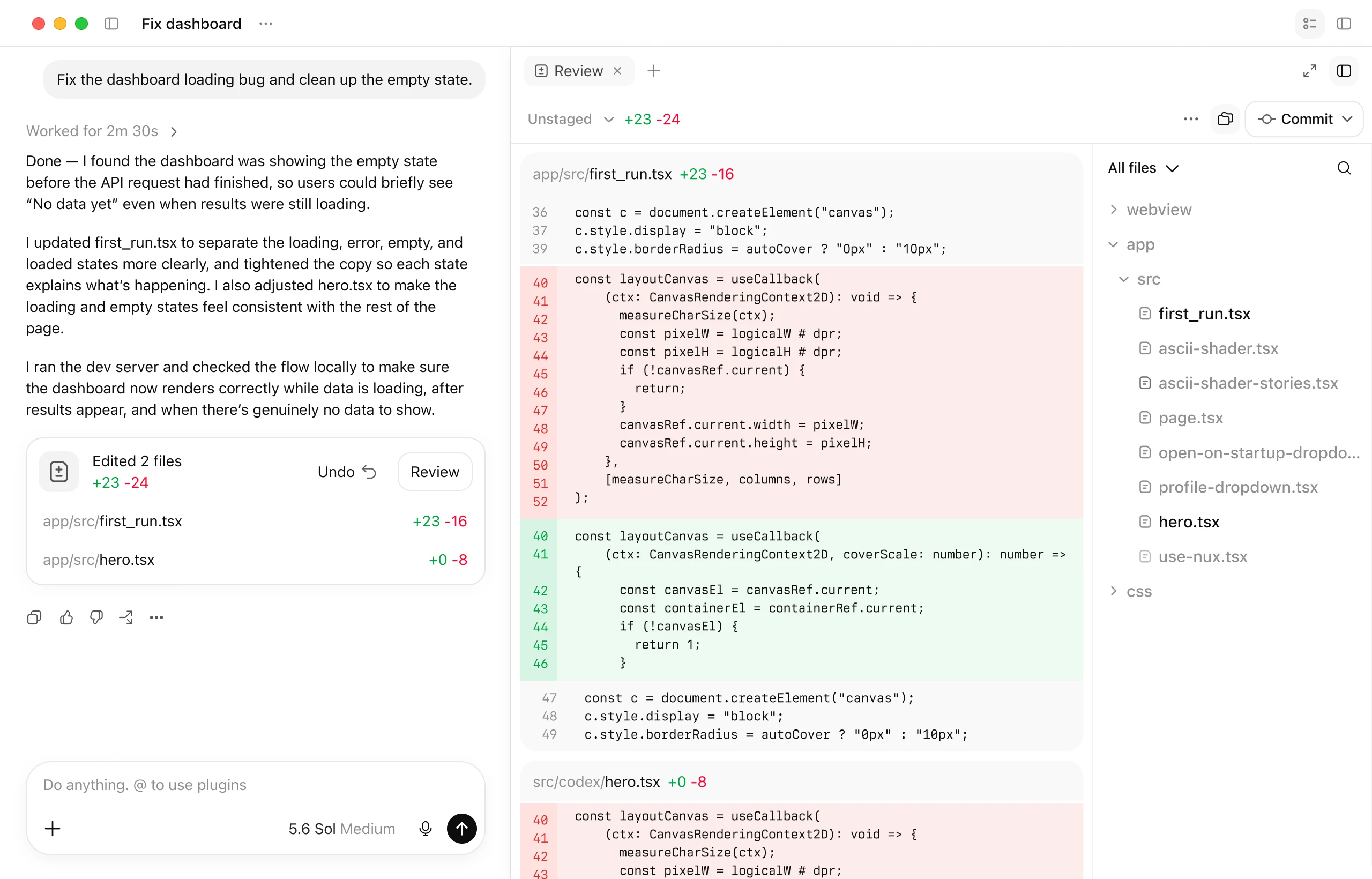
For developers, ChatGPT and Codex can inspect a project, explain unfamiliar code, edit files, run checks, and present the changes for review. The value is not merely faster code generation; it is the ability to keep a technical task moving across several steps while preserving the original goal and showing what changed.

ChatGPT and Codex reviewing code changes in a project
A coding workflow with an explanation, edited files, and a reviewable diff. Official product image: ChatGPT.

Its breadth is the main reason ChatGPT remains the default general-purpose AI assistant for many people. Students use it to understand difficult material, creators use it to develop and refine ideas, developers use it to write and review code, and teams use it to turn scattered information into finished work. It does not eliminate the need for judgment—important facts, calculations, sources, and high-stakes decisions still need verification—but it has permanently changed the baseline for how people expect software to respond.

Pricing Plans

Monthly and annual billing are shown separately

Free

Free $0

A capable starting point for everyday questions and light use.

  • ✓ Limited messages and uploads
  • ✓ Limited image generation and deep research
  • ✓ Limited memory, context, and Codex access

Go

Monthly Varies by region Billed monthly

A lower-cost individual plan with more access than Free.

  • ✓ More messages, uploads, and image creation
  • ✓ Longer memory
  • ✓ Monthly billing; availability and price vary by market

Pro

Monthly $200 / month Billed monthly

For heavy research, coding, and professional workloads.

  • ✓ Highest individual usage limits
  • ✓ Access to top-tier reasoning options
  • ✓ Maximum deep research and expanded Codex usage

Business

Monthly $25 / user / month Billed monthly
Annual $20 / user / month Billed annually; minimum 2 users

A secure workspace with team context, administration, and privacy controls.

  • ✓ ChatGPT and Codex across desktop and mobile
  • ✓ Centralized billing, SAML SSO, and MFA
  • ✓ Business data is not used for training by default

Enterprise

Custom Contact sales

Enterprise-grade security, controls, support, and custom terms.

  • ✓ Expanded context and administrative controls
  • ✓ Data residency and custom retention options
  • ✓ Priority support, SLAs, and volume discounts

Prices can change. Confirm current pricing on the tool's official website.

OpenAI API Pricing

Standard processing rates

API usage is billed separately from ChatGPT subscriptions. The standard rates below are per 1 million tokens for context lengths under 270K.

GPT-5.6 Sol

gpt-5.6-sol

Flagship model for complex reasoning, coding, and agentic work.

Input$5.00per 1M tokens
Cached input$0.50per 1M tokens
Output$30.00per 1M tokens

GPT-5.6 Terra

gpt-5.6-terra

Balanced price and performance for everyday production workloads.

Input$2.50per 1M tokens
Cached input$0.25per 1M tokens
Output$15.00per 1M tokens

GPT-5.6 Luna

gpt-5.6-luna

Fast, affordable model for cost-sensitive, high-volume work.

Input$1.00per 1M tokens
Cached input$0.10per 1M tokens
Output$6.00per 1M tokens

Batch API processing can reduce input and output costs by 50%. Long-context, regional, priority, realtime, image, audio, and tool-call pricing may differ.

Check the official ChatGPT API pricing page

ChatGPT Review

A practical review based on pricing, features, strengths, limitations, and ideal users.

Overview

ChatGPT is OpenAI's general-purpose AI assistant and one of the most important software products of the generative AI era. What began as a remarkably accessible conversational interface has evolved into a broad workspace for writing, research, coding, data analysis, image creation, planning, and multi-step work. Its greatest strength is not any single feature; it is the way these capabilities are brought together behind a natural-language interface that almost anyone can use.

Key Features

  • Natural-language assistance for writing, coding, learning, research, and analysis
  • Web search and deep research for source-based answers
  • File, image, and data analysis
  • Image generation and editing
  • Voice conversations and multimodal input
  • Projects, memory, tasks, and custom GPTs
  • Codex for software development workflows
  • Connections to external tools and longer agentic workflows

Pros (based on user feedback)

  • Exceptionally versatile across personal, creative, technical, and business work
  • Easy to start using without specialist knowledge
  • Strong ecosystem of first-party capabilities and connected tools
  • Useful free tier with clear upgrade paths for heavier workloads
  • Available across web, desktop, and mobile

Cons (based on user feedback)

  • Important facts, calculations, and sources still require verification
  • Usage limits and feature availability vary by plan and region
  • The Pro plan is expensive for individual users
  • The breadth of features can make plan comparisons feel complicated
  • API access is a separate expense and is not included with ChatGPT subscriptions

Who It's For

ChatGPT works well for students, writers, researchers, developers, creators, operators, and teams that want one adaptable AI workspace. Free is suitable for light use, Plus is the best fit for many regular users, Pro is aimed at demanding individual workloads, and Business or Enterprise adds organizational controls and privacy features.

Verdict

ChatGPT remains the benchmark general-purpose AI assistant because it combines broad capability, an approachable interface, and a rapidly expanding set of tools. It is not infallible, but it has permanently changed what people expect from everyday software. For most frequent individual users, Plus offers the most balanced starting point; heavier professional use may justify Pro, Business, or direct API access.

Category Context

Discover conversational AI assistants for productivity, research, customer support, learning, and daily workflows.

There are 195 tools in AI Chat & Assistant on AI List 101.

Related Tools