Claude AI

A world-class AI assistant for writing, reasoning, research, and software development—powerful, but cloud account continuity remains a concern.

3.0/ 5

About Claude AI

The deal-breaker: account closures and opaque appeals

Claude is difficult to recommend without a serious warning. A recurring complaint in user communities is that accounts can be suspended or closed with little useful explanation. Users often say the notice identifies no specific violation, while an appeal receives a generic response or no meaningful path back. Public reports cannot reveal every fact behind an individual enforcement decision, but the lack of transparency is a genuine product risk—especially for anyone who depends on Claude for paid work.

That risk weighs heavily in this review. Once an AI assistant becomes part of a daily workflow, losing access can also mean losing convenient access to conversations, projects, files, and established context. Claude may be excellent at the work itself, but it is hard to trust any cloud product as a single point of failure when account enforcement feels unpredictable and appeals rarely provide a clear explanation.

What Claude gets exceptionally right

The frustrating part is that Claude's technical strengths are real. Its writing is controlled and natural, its long-document analysis is strong, and its coding experience is arguably the best available from a general-purpose AI platform. For software work in particular, Claude is world-class: it is good at understanding an unfamiliar codebase, tracing behavior across files, planning a change, producing readable edits, and explaining the trade-offs without burying the answer in noise.

What Claude is

Claude is Anthropic's general-purpose AI assistant for writing, analysis, research, coding, file work, and complex problem-solving. The interface begins with a familiar chat experience, but the product now extends into projects, persistent memory, web research, file and image analysis, generated documents, code execution, connectors, and specialized workspaces such as Claude Code and Cowork.

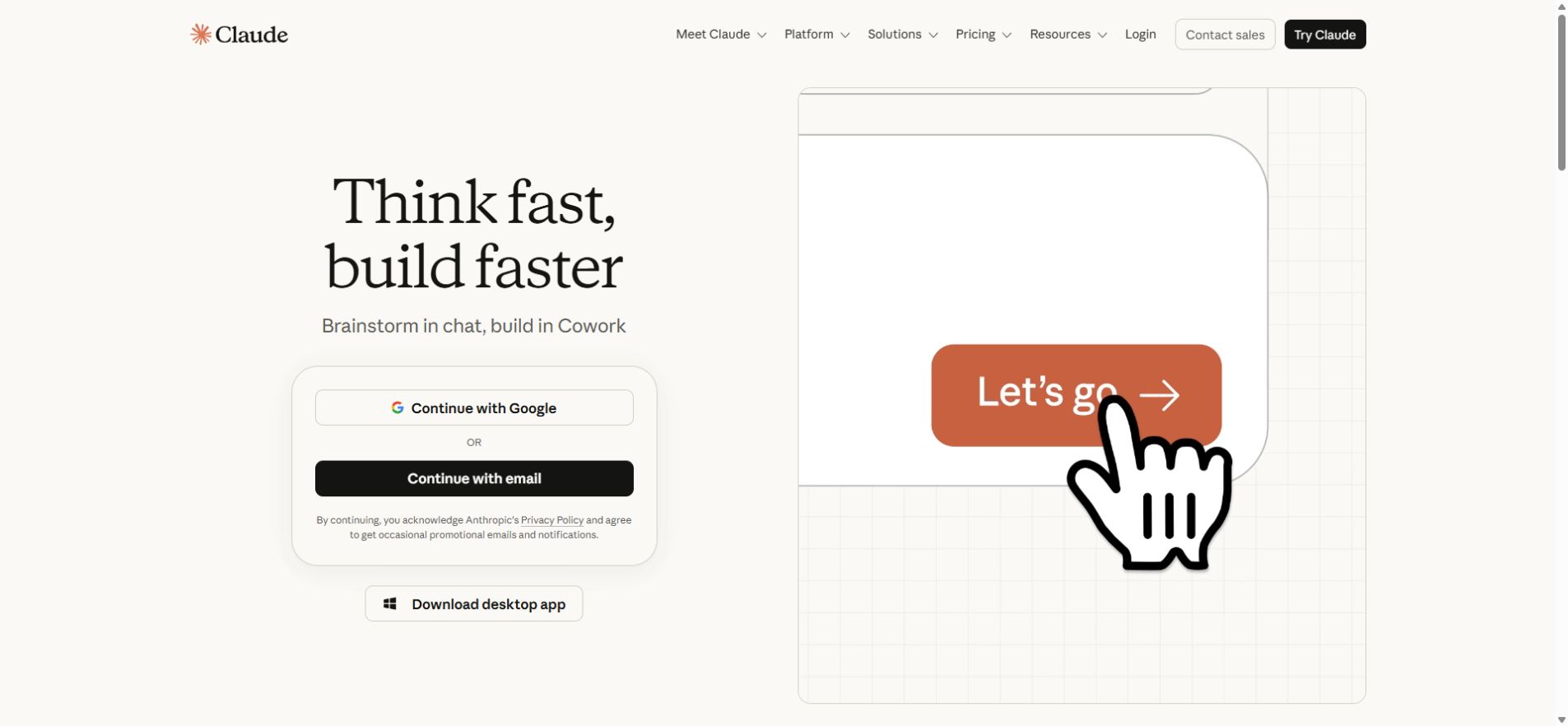
Claude official homepage with the chat sign-in interface
Claude's official web experience presents chat as the starting point for writing, research, and connected work. Official product image: Claude.

For everyday knowledge work, Claude is at its best when a task has context: a long brief, a set of files, a research question, or a draft that needs several rounds of revision. It tends to preserve structure well and can turn a rough request into a polished document without making the prose feel as mechanical as many competing assistants.

Claude Code is where Anthropic leads

Claude Code moves the model into the development workflow. It can work directly in a codebase from the terminal, desktop app, IDE, web, Slack, and other integrations. Instead of returning an isolated code snippet, it can search a repository, read the relevant files, edit several parts of a project, run commands and tests, inspect the results, and keep iterating toward the original goal.

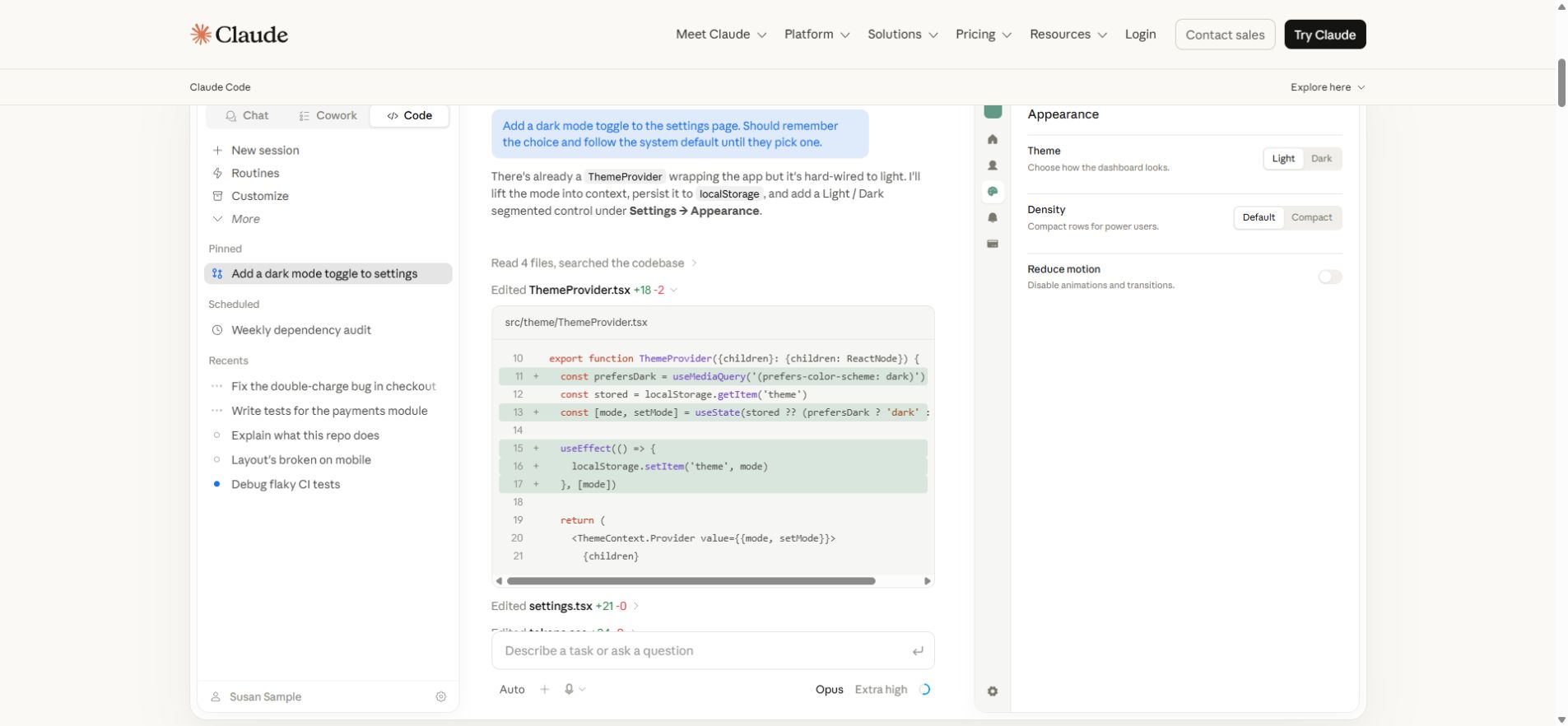
Claude Code desktop interface editing a theme provider and previewing the result
Claude Code editing a real project, showing the diff and a live preview in the same workflow. Official product image: Claude Code.

This combination of repository awareness, multi-step execution, and strong code judgment is why Claude Code stands out. It is particularly effective for refactors, debugging, test generation, unfamiliar repositories, and changes that cross several files. The model can still make mistakes, so diffs and test results need human review, but the overall coding experience is currently best-in-class.

The final verdict is therefore unusually conflicted: Claude may offer the strongest coding assistant on the market while still being difficult to trust as the only route to critical work. Use it for what it does exceptionally well, but keep important outputs backed up, export valuable project context, and maintain an alternative workflow in case access disappears.

Pricing Plans

Monthly and annual billing are shown separately

Free

Free $0

A practical starting point for occasional chat, writing, analysis, and coding.

  • ✓ Chat on web, desktop, iOS, and Android
  • ✓ Web search, file analysis, and code execution
  • ✓ Limited usage and access to selected models

Max 5x

Monthly $100 / month Billed monthly

For frequent Claude and Claude Code use in larger workloads.

  • ✓ Five times the usage of Pro
  • ✓ Higher output limits
  • ✓ Priority access during high-traffic periods

Max 20x

Monthly $200 / month Billed monthly

The highest individual allowance for power users.

  • ✓ Twenty times the usage of Pro
  • ✓ Maximum individual access to Claude models
  • ✓ Designed for intensive Claude Code workloads

Team Standard

Monthly $25 / seat / month Billed monthly
Annual $20 / seat / month Billed annually; 5–150 users

A shared workspace with administration and organization-wide features.

  • ✓ Centralized billing and administration
  • ✓ Enterprise search and team collaboration
  • ✓ Content is not used for model training by default

Team Premium

Monthly $125 / seat / month Billed monthly
Annual $100 / seat / month Billed annually; 5–150 users

A higher-usage team seat for demanding professional work.

  • ✓ Five times the usage of a Standard seat
  • ✓ Expanded Claude Code capacity
  • ✓ Team administration and enterprise search

Enterprise

Custom Contact sales

Custom deployment, governance, support, and usage terms for larger organizations.

  • ✓ SSO, SCIM, audit logs, and compliance controls
  • ✓ Custom data retention and security policies
  • ✓ Contact sales for pricing

Prices can change. Confirm current pricing on the tool's official website.

Claude API Pricing

Standard processing rates

API usage is billed separately from Claude subscriptions. Standard rates below are per 1 million tokens.

Fable 5

Anthropic's highest-priced model tier for demanding workloads.

Input$10.00per 1M tokens
Output$50.00per 1M tokens
Cache write$12.50per 1M tokens
Cache read$1.00per 1M tokens

Opus 4.8

Frontier capability for complex reasoning, coding, and agentic work.

Input$5.00per 1M tokens
Output$25.00per 1M tokens
Cache write$6.25per 1M tokens
Cache read$0.50per 1M tokens

Sonnet 5

Balanced performance and cost, with introductory pricing through August 31, 2026.

Input$2.00per 1M tokens
Output$10.00per 1M tokens
Cache write$2.50per 1M tokens
Cache read$0.20per 1M tokens

Haiku 4.5

Fast, economical model for high-volume and latency-sensitive tasks.

Input$1.00per 1M tokens
Output$5.00per 1M tokens
Cache write$1.25per 1M tokens
Cache read$0.10per 1M tokens

Sonnet 5 standard pricing becomes $3 input and $15 output per million tokens after August 31, 2026. Batch processing saves 50%; US-only inference, fast mode, and managed agent features may use different rates.

Check the official Claude API pricing page

Claude AI Review

A practical review based on pricing, features, strengths, limitations, and ideal users.

Overview

Claude is one of the most capable AI assistants available, but this review starts with its most serious weakness: trust. Users have repeatedly reported sudden account suspensions or closures with little explanation, followed by appeals that provide no specific reason and rarely restore access. The public cannot know the full circumstances of every case, so this should not be presented as proof that every enforcement action is mistaken. Even so, opaque account decisions are a major practical risk when conversations, projects, and professional workflows live inside one service.

The contrast is unusually sharp because Claude is exceptional at the work itself. Its writing is natural and disciplined, its analysis handles long and complex material well, and its coding ability is arguably the strongest in the industry. Claude Code turns that model quality into an agentic development environment that can inspect repositories, edit multiple files, run tools and tests, and keep working through a task instead of stopping at a code snippet.

Key Features

  • High-quality writing, editing, analysis, and long-context reasoning.
  • Projects, memory, web research, file analysis, and generated documents.
  • Claude Code for repository-aware coding in the terminal, desktop app, IDE, web, and integrations.
  • Cowork and specialized product experiences for broader knowledge work.
  • Connectors and MCP support for bringing external tools and context into a workflow.
  • Team and enterprise controls including centralized billing, SSO, SCIM, and audit capabilities.

Pros

  • Best-in-class coding experience for understanding, changing, and debugging real codebases.
  • Excellent prose that usually sounds controlled, nuanced, and less formulaic than many competitors.
  • Strong performance on long documents, complex briefs, and multi-step technical tasks.
  • Claude Code can search files, make coordinated edits, run checks, and present reviewable results.
  • Clean interface with useful project, research, and collaboration features.

Cons

  • Account suspensions and closures can feel opaque, with little detail about the alleged violation.
  • Appeals may produce a generic final decision rather than a meaningful explanation or path to resolution.
  • Depending on Claude as a single point of failure is risky for critical professional work.
  • Pro usage limits can interrupt long sessions, while Max becomes expensive quickly.
  • Frontier API models are costly for high-volume applications.

Who It's For

Claude is especially compelling for developers, technical teams, writers, researchers, and professionals who work with large amounts of context. Claude Code is a standout choice for serious software development. It is less suitable for anyone who needs guaranteed continuity from one consumer account or who cannot maintain backups and an alternative workflow.

Verdict

Claude may currently offer the world's best general-purpose coding experience, but product quality and account trust are separate questions. The coding capability earns an enthusiastic recommendation; the opaque enforcement and weak appeal experience do not. Use Claude for its considerable strengths, export important work, keep local copies of critical context, and avoid making a single account your only path to essential projects.

Category Context

Discover conversational AI assistants for productivity, research, customer support, learning, and daily workflows.

There are 195 tools in AI Chat & Assistant on AI List 101.

Related Tools